Tuesday, August 30, 2011
no image

Sydney's nsquared is calling it "Seamless Computing" -- software which unifies Windows Phone 7, Surface, Windows 7 Slate and Kinect. Begin designing a new home on your phone and then place it on the Surface to share between all the devices, then pick up the Slate to make some modifications before walking through a 3D model of the building, navigating with Kinect's gesture interface. Software like AirPlay and Touch to Share already give you a taste for this sort of tech, but the experience that Dr. Neil Roodyn demonstrates in the video below is far more immersive -- not to mention unspeakably cool.

[youtube http://www.youtube.com/watch?v=oALIuVb0NJ4&w=640&h=390]

no image

For the layperson, how does NFC work?

NFC is basically a form of radio communication, but it uses very low-power radios. It's related to radio-frequency identification (RFID) as well.

In its simplest form, you have two electronic devices. Each has a battery, a radio, and a processor on-board. One sends a stream of data to the other, and the other responds. They transmit with such low power that the signal is lost after only a few inches. So in order for them to communicate, you have to basically touch them together.

RFID can also be classified as Near Field Communication, though not all forms of RFID use the same data protocols as NFC devices. RFID comes in two flavors: active and passive.

Active RFID works just as NFC does: two powered devices, two radios, and a transmission between them. The range doesn't need to be short; it can be as long as you have power to transmit. The EZ-Pass system you see on toll roads is a good example of active RFID — it can cover several meters.

Passive RFID, on the other hand, is generally very short range, because there is only one powered device. The RFID reader sends out a radio signal. When an RFID tag is in range, it receives the signal, and uses the energy of the radio transmission to power itself. The amount of energy isn't great, so the RFID tag can only power itself long enough to send a signal back to the reader, then it shuts down.

How significant will NFC technology be in the coming years?

NFC, coupled with RFID tags, creates a really cool channel for devices and objects to talk to one another. Tom and I have done lots of freaky projects with Bluetooth, XBee/ZigBee, Wi-Fi — all things that communicate over a reasonable distance. But NFC and RFID give us the ability to have objects that are close to one another talk to each other. And one thing I love is that the RFID side of the equation lets un-powered objects — anything you can embed a tag in — play in this game of networked objects.

That, to me, is the starting point for all this. I don't want to worry about whether NFC payments are going to take off, or if NFC will replace the business card. What I love about this is that it gives us another way for objects to participate in the "Internet of things."

[youtube http://www.youtube.com/watch?v=jcOz9CKQnPM]

Are there any impressive or unique ways that NFC is being used right now?

There's one story that seems to dominate the headlines, and that's about using NFC for payments. But for me, the more interesting application is replacing QR codes. Imagine you're standing outside a restaurant, and there's a sticker in the window with a QR code that takes you somewhere for reviews. How long does that take? Half a minute to fire up your QR code scanner, two minutes of cursing because there's not enough light or there's glare on the glass, and when you eventually get it working, your friends have already searched for it on Google and read the reviews. And that's assuming you're enough of a power user to already have an app like Barcode Scanner or Red Laser installed.

Compare that to NFC. I can tap the sign with my Nexus S, and it will fire up the built-in Tags app (see video below), and take me right to the URL. It's really fast. Tap your phone to the thing you want to create a relationship with, and you're done.

NFC security is a concern for some. How well is this issue being addressed?

When people ask that question, I find that they haven't done enough research to know why they should be concerned. Why are you not worried about Wi-Fi security? Or mobile phone security? Both of them use the same technology: radio transmission. Yet no one raises concerns about those.

I think the confusion stems from the fact that people think an RFID tag or an NFC device actually contains secret data about them. In fact, most of the time the only data on an RFID tag or NFC device is a serial number. In order for that number to mean anything, it has to be associated with other data in a database, and the database has to be attached to an RFID reader. The same is true of magnetic stripe credit cards — the data is not on the card. It's a serial number that associates that card with your record in the database. It's possible to record more than just the serial number on your card, but in order to extract that information, a more complex transaction involving encryption and passkeys has to happen.

Unlike mag-stripe cards, however, you don't need to swipe an RFID or NFC card through a reader in order to read it. You merely need to bring it within a few centimeters of your reader. So people often ask, "Does that mean you can read my card in my wallet or my purse?" Sure, if you touch your wallet or purse to my reader. But if I get that close to you, I might as well just steal your whole wallet!

Practically speaking, it's as difficult — or more so — to steal your credit card number off your RFID-enabled credit card as it is off your traditional credit card, assuming you handle your card with the same amount of basic caution. Practice some common sense, and you're not in danger.

What are the most significant obstacles NFC faces?

The biggest issues at this point are compatibility — there are several different protocols that are incompatible with each other — and documenting the technologies in such a way that industrial designers know how to make them work best. Timo Arnall, Einar Martinussen, and the folks at BERG studios have done some good work on this at nearfield.org.

If you were to implement a solution today using RFID, you'd have some good choices at your disposal for secure solutions. However, there are insecure, first-generation — and probably second-generation and beyond — systems still in use that should be replaced.

Source: O'Reilly
no image

A great new feature in Lion is the ability to resize windows in a much more flexible way. Whereas Snow Leopard only allowed resizing a window using a “handle” in the bottom right corner of every window, in Lion placing your mouse near any edge of a window will result in a new “Resize” cursor indicating that you can resize the window from there.

If this wasn’t enough, there are a few other new resizing features that can make this even more useful.

Firstly, holding the Option key while resizing results in both sides of the window resizing equally. For example, if you have a full screen window and resize it by Option-dragging the left side in towards the centre, the right side will also move in by an equal amount. If you resize from a corner using this method, it essentially has the effect of anchoring the window by its centre rather than by the opposing corner as usual.

Secondly, holding the Shift key while resizing forces the window to keep the same proportions. This is similar to when you resize an image and want to avoid stretching it in one direction. If you double the width of a window, the height will be doubled as well.

Finally, you can use the Command key to resize windows in the background without moving them to the front. This has actually been around since before Lion, but it has become much more useful now you can resize windows from any edge.

Now, if you really want to be a pro, you can try using the modifier keys in combinations. You can also press and release Option and Shift at various points while you are already resizing to add and remove the constraints.

Bonus Tip: If you go to resize a window from an edge, but instead drag the mouse cursor in the wrong direction (i.e. drag up/down while resizing from the left/right edges) you can move the window around. This means you no longer have to only move windows using the title bar at the top.

Source: macosxtips
Sunday, August 28, 2011
no image

Of our ten fingers, the fourth finger on the left hand is generally known as the ring finger, or the wedding finger. This is where most brides wear their wedding rings. Though it is not always the case. In some countries, wedding rings are worn on the fourth finger of the right hand. This was the custom in England until the end of the sixteenth century and lasted among Roman Catholics until much later.

There is a practical reason for wearing wedding rings on the fourth finger of the left hand. It is well protected from accidental damage in everyday activities. There is also a more romantic one. An old belief holds that a small artery runs directly from this finger to the heart - and as any love song will tell you, the heart has a big part to play in marriage.
Saturday, August 27, 2011
no image

Teddy bears have been around since 1902. That was the year they first appeared in both the USA & Germany. No one knows for sure which country was first with the bear.

There is a question mark over the name 'Teddy Bear' too. The likeliest explanation seems to be that it is named after the American president at the time. He was Theodore Roosevelt and his nickname was Teddy. He liked bear hunting. But he also respected bears and once refused to shoot a captive bear cub. This story appeared in a cartoon in November 1902 and the Teddy Bear was born.
no image

The Jan Lokpal Bill (Citizen's ombudsman Bill) is a draft anti-corruption bill drawn up by prominent civil society activists seeking the appointment of a Jan Lokpal, an independent body that would investigate corruption cases, complete the investigation within a year and envisages trial in the case getting over in the next one year.

Drafted by Justice Santosh Hegde (former Supreme Court Judge and former Lokayukta of Karnataka), Prashant Bhushan(Supreme Court Lawyer) and Arvind Kejriwal (RTI activist), the draft Bill envisages a system where a corrupt person found guilty would go to jail within two years of the complaint being made and his ill-gotten wealth being confiscated. It also seeks power to the Jan Lokpal to prosecute politicians and bureaucrats without government permission.

Retired IPS officer Kiran Bedi and other known people like Swami Agnivesh, Sri Sri Ravi Shankar, Anna Hazare and Mallika Sarabhai are also part of the movement, called India Against Corruption.

Its website describes the movement as "An expression of collective anger of people of India against corruption. We have all come together to force/request/persuade/pressurize the Government to enact the Jan Lokpal Bill. We feel that if this Bill were enacted it would create an effective deterrence against corruption."

A look at the salient features of Jan Lokpal Bill:

1. An institution called LOKPAL at the centre and LOKAYUKTA in each state will be set up

2. Like Supreme Court and Election Commission, they will be completely independent of the governments. No minister or bureaucrat will be able to influence their investigations.

3. Cases against corrupt people will not linger on for years anymore: Investigations in any case will have to be completed in one year. Trial should be completed in next one year so that the corrupt politician, officer or judge is sent to jail within two years.

4. The loss that a corrupt person caused to the government will be recovered at the time of conviction.

5. How will it help a common citizen: If any work of any citizen is not done in prescribed time in any government office, Lokpal will impose financial penalty on guilty officers, which will be given as compensation to the complainant.

6. So, you could approach Lokpal if your ration card or passport or voter card is not being made or if police is not registering your case or any other work is not being done in prescribed time. Lokpal will have to get it done in a month's time. You could also report any case of corruption to Lokpal like ration being siphoned off, poor quality roads constructed or panchayat funds being siphoned off. Lokpal will have to complete its investigations in a year, trial will be over in next one year and the guilty will go to jail within two years.

7. But won't the government appoint corrupt and weak people as Lokpal members? That won't be possible because its members will be selected by judges, citizens and constitutional authorities and not by politicians, through a completely transparent and participatory process.

8. What if some officer in Lokpal becomes corrupt? The entire functioning of Lokpal/ Lokayukta will be completely transparent. Any complaint against any officer of Lokpal shall be investigated and the officer dismissed within two months.

9. What will happen to existing anti-corruption agencies? CVC, departmental vigilance and anti-corruption branch of CBI will be merged into Lokpal. Lokpal will have complete powers and machinery to independently investigate and prosecute any officer, judge or politician.

10. It will be the duty of the Lokpal to provide protection to those who are being victimized for raising their voice against corruption.

Anna Hazare, anti-corruption crusader, went on a fast-unto-death in April, demanding that this Bill, drafted by the civil society, be adopted. Four days into his fast, the government agreed to set up a joint committee with an equal number of members from the government and civil society side to draft the Lokpal Bill together. The two sides met several times but could not agree on fundamental elements like including the PM under the purview of the Lokpal. Eventually, both sides drafted their own version of the Bill.

The government has introduced its version in Parliament in this session. Team Anna is up in arms and calls the government version the "Joke Pal Bill".

A detailed comparison of differences between Jan Lokpal Bill and Government's Draft

Note: Comparision SlideShow uploaded by India Against Corruption.

Issue : Prime Minister

Jan Lokpal Bill says - Prime Minister can be investigated with permission of seven member Lokpal bench.

Government's Lokpal Bill says - Prime Minister can be investigated by Lokpal after she/he vacates office.

Issue : Judiciary

Jan Lokpal Bill says - Judiciary be investigated, though high level members may be investigated only with permission of a seven member Lokpal bench.

Government's Lokpal Bill says - Judiciary is exempt and will be covered by a separate "judicial accountability bill".

Issue : Conduct of MPs

Jan Lokpal Bill says - MPs be investigated with permission of seven member Lokpal bench.

Government's Lokpal Bill says - MPs can be investigated, but their conduct within Parliament, such as voting, cannot be investigated.

Issue : Lower bureaucracy

Jan Lokpal Bill says - All public servants would be included.

Government's Lokpal Bill says - Only senior officers (Group A) will be covered.

Issue : Anti-Corruption wing of CBI

Jan Lokpal Bill says - The Anti-corruption wing of the CBI will be merged into the Lokpal.

Government's Lokpal Bill says - The Anti-corruption wing of the CBI not be merged into the Lokpal.

Issue : Removal of Lokpal members and Chair

Jan Lokpal Bill says - Any person can bring a complaint to the Supreme Court, who can then recommend removal of any member to the President.

Government's Lokpal Bill says - Any "aggrieved party" can raise a complaint to the President, who will refer the matter to the CJI.

Issue : Removal of Lokpal staff and officers

Jan Lokpal Bill says - Complaints against Lokpal staff will be handled by independent boards set-up in each state, composed of retired bureaucrats, judges, and civil society members.

Government's Lokpal Bill says - Lokpal will conduct inquiries into its own behavior.

Issue : Lokayukta

Jan Lokpal Bill says - Lokayukta and other local/state anti-corruption agency would remain in place.

Government's Lokpal Bill says - All state anti-corruption agencies would be closed and responsibilities taken over by centralized Lokpal.

Issue : Whistleblower protection

Jan Lokpal Bill says - Whistleblowers are protected by Lokpal.

Government's Lokpal Bill says - No protection granted to whistleblowers by Lokpal.

Issue : Punishment for corruption

Jan Lokpal Bill says - Lokpal can either directly impose penalties, or refer the matter to the courts. Penalties can include removal from office, imprisonment, and recovery of assets from those who benefited from the corruption.

Government's Lokpal Bill says - Lokpal can only refer matters to the courts, not take any direct punitive actions. Penalties remain equivalent to those in current law.

Issue : Investigatory powers

Jan Lokpal Bill says - Lokpal can obtain wiretaps ( to make a connection to a telegraph or telephone wire in order to obtain information secretly), issue rogatory letters, and recruit investigating officers. Cannot issue contempt orders.

Government's Lokpal Bill says - Lokpal can issue contempt orders, and has the ability to punish those in contempt. No authority to obtain wiretaps, issue rogatory letters, or recruit investigating officers.

Issue : False, frivolous and vexatious complaints

Jan Lokpal Bill says - Lokpal can issue fines for frivolous complaints (including frivolous complaints against Lokpal itself), with a maximum penalty of Rs 1 lakh.

Government's Lokpal Bill says - Court system will handle matters of frivolous complaints. Courts can give 2-5 years imprisonment and fines of Rs 25,000 to 2 lakh.

Issue : NGOs

Jan Lokpal Bill says - NGOs not within the scope due to their role in exposing corruption.

Government's Lokpal Bill says - NGOs are within the scope and can be investigated.

Anna Hazare declared that he would begin another fast in Delhi on August 16. Hours before he was to begin his hunger strike, the Delhi Police detained and later arrested him. There are widespread protests all over the country against his arrest.

The website of the India Against Corruption movement calls the Lokpal Bill of the government an "eyewash" and has on it a critique of that government Bill.

Post the massive support to Anna Hazare's movement, several of the MPs across party lines have come out in support to the Jan Lokpal Bill. Most notable names are Congress MPs from Maharashtra Priya Dutt and Datta Meghe. Datta Meghe also demanded that his party spokesperson Manish Tiwari should apologize to Anna Hazare for his uncharitable comments.

This support started coming as over 150 MPs and Ministers from different states were forced to remain confined to their houses as Anna supporters protested outside their houses. Protests were also seen outside the residence of Sheila Dixit CM of Delhi, Kapil Sibal, Pranab Mukherjee amongst others.

BJP MP Varun Gandhi is introducing Jan Lokpal Bill as a private member's bill in the parliament.

As per the reports, Anna Hazare's fast was successful in mobilizing the support of thousands in the virtual world of social media. On Independence Day, Anna had over five lakh mentions through status updates and comments across top social networking sites, including Facebook and Twitter in the country. Two days later, the number had shot up to 9 million.On YouTube, over 40,000 people watched the video shot by Kiran Bedi inside Tihar Jail in which Anna has addressed his supporters. Facebook has 542 fan pages by Anna's name.
no image

[slideshare id=8851449&w=425&h=355&sc=no]
Note: I do not bear any rights to this presentation.

no image

There are several reasons why Friday has been considered the most unlucky day of the week. Jesus Christ was crucified on a Friday. Friday was traditionally the day when criminals were executed. According to one superstition, if you cut your nails on a Friday, witches would pick up the pieces and turn you into a witch yourself.

Friday was also known as 'Tip Tod's Day', meaning the Devil's Day. In earlier times, sailors didnt like putting to sea on Friday. And it was also said that work started on a Friday was never finished ( which sounds like a good excuse for taking Friday easy :P ).

Then there is thirteen. This has been an unlucky number in the Christian world ever since thirteen sat down to eat at the Last Supper on the night before Jesus Christ was crucified.
no image

Most of us need eight hours of sleep a night. Horses can get by with only half the amount & unlike us, they are able to fall asleep standing up, without falling over.

In the wild, horses are prey to wolves and other animals. Lying down, they are much more vulnerable than they are standing up. So over millions of years, their bodies have developed a way of staying upright even when they are asleep. Although most horses no longer live in the wild, they can still fall asleep as their ancestors used to.

The reason they are able to do this is a unique system of ligaments - the chords which bind bones together. A horse's ligaments act like a sling over its whole body. These can lock its joints into a fixed position, so it can stand upright without any coscious muscular effort while sleeps.

It is a pity that human beings have not developed a way of doing this. It could be very handy for long queues or travelling on crowded trains!
no image

By now you know how to use Google to search for a flight, look up a definition, or solve a simple math problem. But what if you want to do a search comparison or want information from a certain time period? Here we bring you 10 tips and tricks for searching Google like a pro.

Google Squared

Searching for a comparison chart on a certain topic? Try using Google Squared for a collection of information. For instance, try searching Google Squared for "roller coasters" to see a chart of the top 20 tallest roller coasters, or check out chart of hurricanes for images, descriptions, and damage estimates of recent hurricanes.

Wonder Wheel

Not quite sure what you're looking for? Google's Wonder Wheel gives another way of looking at the related searches near what you're looking for.

Located in the left-hand sidebar, Wonder Wheel produces a circular chart with searches that other people have done recently that are related to yours.

Search history

Need to find something you have found on Google before? Try searching your own Google search history. Sign into your Google account and enable web history.

Run your searches and then visit www.google.com/history to see your search history and revisit previous searches. Search history also syncs to your mobile device.

Google Voice Search

Google Voice Search lets you speak your search queries into your mobile device while on the go. Google Voice Search app is available on iPhone, BlackBerry, and Nokia S60 V3 phones. If you have an Android phone, search for the "Voice Search" app in Android Market.

Timeline

For those who want info from a certain time period, Timeline option is a sure shot help. Located in the left-hand toolbar, the feature lets you zoom in on any time range and see news pulled from assorted sources, including books, news, and web pages. Searching for the Anglo-French Wars, for instance, brings up a timeline that runs from 1600-2010, stepping down into individual years, then months.

Google Images

Want to filter your results in Google Images. Try searching for a word that could be found in a range of images, such as names like heather or raven or cliff. Towards the bottom of the left-hand sidebar in Google Images, you will find a dedicated option to only clip art, photos, or line drawings.

Searching files

Trying to find a particular type of file? Google doesn't only look for HTML. Type what you're looking for and then add 'filetype:tag' on the end. For instance, 'filetype:doc' will only results with those types of file. This search supports PDF, Microsoft Office formats, Shockwave Flash and so.

Google Suggest

To compare different Google Suggest results side-by-side, go to http://hint.fm/seer/ to get a visual comparison of two search prefixes. Though not a Google product, Web Seer was built by two Googlers and gives interesting insight into Google results.

Search in the URL

If you know there's a specific string of letters or words in the URLs of pages you are looking for, you can use "inurl" to find them.

For example, many websites with public webcams have URLs that contain "view/view.shtml". So search for inurl:view/view.shtml and your search results will display the URLs for webcams around the world.

Searching websites

You can search a wide variety of sites by inserting > before the type of site you want to search. For example, [penguins site:>.edu] searches for penguins across all .edu sites. [crater image site:>nasa.gov] searches for crater images across nasa.gov.
no image

Steve Jobs had no formal schooling in engineering, yet he's listed as the inventor or co-inventor on more than 200 US patents. These are some of the significant products that were created under his direction: Apple's first product was a computer for hobbyists and engineers, made in small numbers.
Steve Wozniak designed it, while Jobs orchestrated the funding and handled the marketing.

Apple I

Apple's first product was a computer for hobbyists and engineers, made in small numbers. Steve Wozniak designed it, while Jobs orchestrated the funding and handled the marketing.

Apple II

One of the first successful personal computers, the Apple II was designed as a mass-market product rather than something for engineers or enthusiasts.

It was still largely Wozniak's design. Several upgrades for the model followed, and the product line continued until 1993.

Lisa

Jobs' visit to Xerox Corp's research center in Palo Alto inspired him to start work on the first commercial computer with a graphical user interface, with icons, windows and a cursor controlled by a mouse. It was the foundation for today's computer interfaces, but the Lisa was too expensive to be a commercial success.

Macintosh

Like the Lisa, the Macintosh had a graphical user interface. It was also cheaper and faster and had the backing of a large advertising campaign behind it.

People soon realized how useful the graphical interface was for design. That led "desktop publishing," accomplished with a Mac coupled to a laser printer, to soon become a sales driver.

NeXT computer

After being forced out of Apple, Jobs started a company that built a powerful workstation computer. The company was never able to sell large numbers, but the computer was influential: The world's first Web browser was created on one. Its software also lives on as the basis for today's Macintosh and iPhone operating system.

iMac

When Jobs returned to Apple in 1996, the company was foundering, with an ever shrinking share of the PC market. The radical iMac was the first step in reversing the slide. It was strikingly designed as a bubble of blue plastic that enclosed both the monitor and the computer.

Easy to set up, it captured the imagination just as people across the world were having their eyes opened to the benefits of the Internet and considering getting their first home computer.

iPod

It wasn't the first digital music player with a hard drive, but it was the first successful one. Apple's expansion into portable electronics has had vast ramifications. The iPod's success prepared the way for the iTunes music store and the iPhone.

iTunes store

Before the iTunes store, buying digital music was a hassle, making piracy the more popular option. The store simplified the process and brought together tracks from all the major labels. The store became the largest music retailer in the US in 2008.

iPhone

The iPhone did for the phone experience what the Macintosh did for personal computing-it made the power of a smartphone easy to harness. Apple is now the world's most profitable maker of phones, and the influence of the iPhone is evident in all smartphones.

iPad

Dozens of companies, including Apple, had created tablet computers before the iPad, but none caught on. The iPad finally cracked the code, creating a whole new category of computer practically by itself.
Friday, August 26, 2011
no image

NR Narayana Murthy, who steps down as Infosys chairman on August 20, is a role model for not just what he achieved but also how he did it. Here are 30 lessons from Murthy, one for each year he spent at company.


1-Seize Your Gandhi Moment

Murthy, a self proclaimed socialist in the mid '70s was jailed for 72 hours in Bulgaria. The experience taught him that entrepreneurship and job creation is the way to alleviate poverty.


2-You might fail, but get started

Learn from mistakes and move on. In 1976, Murthy founded Softronics, a company that lasted a year and a half. When he realised that his first venture wasn't taking off, he moved on.


3-Think Big. Don't Hesitate to Start Small

In 1981, a determined Murthy started Infosys with Rs 10,000 he borrowed from his wife. In few years, Infosys went on to become one of the largest wealth creators in the country.


4-Cut Yourself a Slice, Not a Large One Always

When Infosys was set up, Murthy took a pay cut while salaries of other co-founder's were increased by 10 percent. According to Murthy, a leader needs to show his or her sacrifice and commitment.


5-Lend a Hand and Throw in a Foot Too

After Murthy convinced seven of his colleagues, there was a problem. Nandan's future inlaws were not sure about him. Murthy met Nandan's uncle and convinced him.


6-Own Up, and Then Clean Up

In the '80s Infosys developed an application for a German client. Murthy noticed a single character error and informed the client immediately.


7-Trust in God, But Verify with Data

In God we trust, the rest must come with data, is perhaps Murthy's favourite statement. When confronted with difficult decisions, he tends to rely on data.


8-Keep the Faith

Infosys almost wound up in 1990. Murthy did not want to sell the company. He asked co-founders if they wanted out and offered to buy their shares. All of them stuck together.


9-Get Involved

Infosys won a contract from Reebok in the early '90s. Seeing the founders involvement, the software, was nick named 'Dinesh, Murthy and Prahlad.' Infy veterans still recall those days.


10-Sharing is Caring

After the IPO, Infosys decided to share a portion of its equity with employees. This helped them retain talent and gave employees a sense of ownership. Murthy is proud of having given away stocks worth over Rs 50,000 crore to employees.


11-Treat your People Good, but Your Best Better

Murthy always had a thing for good performers. And he rewarded them well. When Infosys decided to give its employees stock options, Murthy insisted that some shares be given to good performers through the 'Chairman's quota.'


12-Hire a Good Accountant, Even if he is Argumentative

A young, argumentative Indian, was asking too many questions at an annual general body meeting of Infosys. More impressed than irritated, he hired Mohandas Pai, who went on to help Infosys list on Nasdaq.


13-When in Doubt, Disclose

Keep your books clean and leave the cooking to the chef. Murthy's philosophy about being open and transparent has given the company a lot of credibility. He often says, "When in doubt, please disclose."


14-Leave the Family Out

Murthy told his wife that only one of them could be with the company. Murthy, along with other founders, said that none of their children would work for Infosys. This left no room for nepotism at Infosys.


15-Don't be a Pushover

In 1994, when General Electric wanted to re-negotiate rates, Murthy said no to selling services any cheaper. This helped Infosys not to be overly dependent on any one client.


16-Make hay While the Sun Shines

In late 90's, India's tech companies made use of the Y2K opportunity to make themselves known in the global market. For Infosys, it was a great opportunity to enter into long-term relationships with their customers.


17-Brand-aid First, Get Clinical

When the sexual harassment case against Infosys' top sales guy Phaneesh Murthy threatened to tarnish the company's brand, Murthy decided to quickly react. He let go of Phaneesh, and settled the case out of court despite Phaneesh wanting to fight it out.


18-Mind your Business, you'll See Things Coming

Murthy carries and updates a mental model of Infosys' business all the time. According to him, every leader must have a model, consisting of six to seven parameters that might affect business.


19-Keep it Simple, Not Silly

Keep your life simple and straight. That way, you get to work more and worry less. Murthy is known to be frugal with money. Despite being one of the richest Indians, he leads a simple life. However, he does not cut corners on buying books or brushing up on literature.


20-Founders Keepers, but Not Forever

Murthy's decision to not allow founders to continue with the company after the age of 65 set another standard for the company. This way, younger leaders at Infosys had a greater chance at the top positions.


21-Talent Spotting and Division of Labour

Murthy is known to have an eye for talent and a talent for dividing labour. Nandan was given sales responsibilities while Kris and Shibu did the tech stuff. N S Raghavan was asked to handle people and Dinesh was assigned quality.


22-Hold on to Your People but don't Cling

Letting go is never easy but its not good to cling on to your colleagues either. Amongst the founders, Ashok Arora, Nandan Nilekani and K Dinesh have quit Infosys. Infy veteran Mohandas Pai has also left Infosys.


23-Give, it only gets you more

In 2010, the Murthy's donated $ 5.2 million USD to Harvard University Press for a project that aims to make India's classical heritage available for generations to come. He is also supporter of the Akshaya Patra Foundation.


24-Do it First and Do it Right

Infosys did many things first. And most things right. For example, it was the first Indian company to list on Nasdaq. It was the first Indian company to make it to the Nasdaq 100 list and it was the first Indian company to attain the highest level of quality certification.


25-Perils of Being a Poster Child

Being the poster child of Indian IT industry, Infosys and Murthy have been at the receiving end of many criticisms. The company has been accused of taking away American jobs and been called a "chop shop."


26-Get Rich. Honestly

Rich businesses were considered to be dirty in the days when the country had a socialist bent. Infy was a company which got rid of this sentiment. Murthy, with his 'no compromise' policy on greasing palms and doing ethical business, set the standards.


27-Do Not be Afraid to Court Controversy

Ever since Infosys became a success, Murthy was under constant public glare. This did not deter the straight talking Murthy from courting controversy or voicing his opinions openly.


28-Invest in Learning

With big investments in training, development and building facilities, India's IT bell-weather has always been keen on grooming the younger generation. Murthy drove the culture of learning in the company in its early days.


29-Never Lose the Common Touch

The big man of Indian IT kept his personal life simple. He lives in a simple, middle class house and flies economy till date. Murthy has always been accessible to people around him.


30-Do Good, Look Good

Murthy knew the importance of creating an image for Infosys. He invested in creating a sprawling, world class campuses early on, bigger than any other company's headquarters in the country, that would make his global customers feel like they were in a global office.
Tuesday, August 23, 2011
no image

Almost anything we manage to do three times in a row is called a hat trick today. The one thing you can be fairly sure of is that it seldom, if ever, involves a hat. However, a hundred years ago a hat gave rise to the expression. In those days, hat tricks only occurred in game of cricket.

Back in the 1880s, a bowler who took three wickets with three balls bowled one after the other was given a new hat by his club. The feat became known as a hat trick and, as it caught on, people began applying the term to all sorts of other sports & activities.
no image

Mechanical clocks were invented in the northern hemisphere, the half of the world north of the Equator. Before they existed, people used sundials to tell the time. In a sundial, it is the shadow cast by the bit in the centre that actually indicates the time of day. In the northern hemisphere, this moves in what we now call a clockwise direction. So when the first mechanical clocks were invented, their faces and hands were built to follow the same direction.

If clocks had been invented in the southern hemisphere, everything would have been reversed. The shadow on the sundial mover in the opposite direction, and presumably clocks would have been built to run that way too.
no image

It’s back to school season and for a lot of parents, that means buying your kid a laptop or new computer to help them do their homework. This is especially important for kids going off to college because it’s nearly impossible to be a functional student nowadays without a computer. But tablets are increasingly becoming powerful tools that offer similar capabilities while allowing students to be more mobile. Can students use a tablet to truly replace a laptop?

“It depends on how much content creation they’re going to be doing versus consumption,” said Nick Stam, director of technical marketing at NVIDIA. “That holds true for not just the back to school kids but for everyone.”

Can a tablet replace a laptop?Tablets like the iPad 2, Tegra-powered Xoom and HP TouchPad offer a variety of advantages over a traditional laptop or notebook computer as these devices have tremendous battery life, generally wake up in an instant and create a strong connection with the user due to the touch interface. There is also something to be said about the much more mobile form factor that tablets represent – it’s easier to just throw one of these in your bag than it is to transport a laptop.

These tablets are also becoming increasingly more powerful and flexible, as NVIDIA will soon have a quad-core processor inside a tablet which will rival what top-of-the-line computers used to be able to do a few years ago. The accessory market is also creating new possibilities for how well a tablet can be used for students.

Take a look at the Asus Transformer: this tablet offers a cheaper, powerful, Android-based alternative to the iPad 2 and it is ideal for casual web surfing, intense social networking and video calls. When you combine it with its keyboard dock, it turns into a computing device that can handle most word processing needs thanks to its built-in document editing software. The keyboard does take some getting used to but after a few hours, users will be able to type at blazing speeds.

Can students use a tablet to replace a laptop?The iPad also has a full keyboard accessory for your typing needs and more and more applications are targeting the educational market. It also helps that the iPad 2 is seen as being very hip and that many educational institutions are taking a hard look at how this can aid education. Heck, you could even look at devices like the View 4G with its capacitive stylus as a great way for art-inclined students to be more productive on the go.
It’s not all roses with tablets though, as many classes require applications that just aren’t available on iOS, Android, QNX or webOS. Even simple things like accessing a school’s grade-tracking program may not work as smoothly on a tablet as on a standard notebook. I also don’t think that computer science fans will be happy trying to do hardcore coding on a tablet. While many apps are migrating toward these mobile platforms, the ecosystem is just not quite robust enough for

“My personal stance is that many kids wants both and the price points are coming down to the point where they can have them,” Stam said.

It used to be that buying a high-quality laptop would set a parent or student back at least $1,000 but the prices have come down dramatically where a Windows machine can be purchased for less than $500 and be powerful enough to handle a student’s needs. Tablets are still going to cost about $500 but those prices are quickly falling – the 7-inch Acer Iconia Tab A100 will land in the not-too-distant future with Honeycomb and an attractive $300 price tag. Much like iPods become the must-have accessory for students, tablets could soon be a relatively affordable computing accessory which can actually help students be more productive.

Will tablets ever be able to fully replace a laptop for students? That day may not be as far as you think and Microsoft may be the company which can finally bridge that gap with Windows 8.

While we haven’t seen much of the next generation of Windows and tablets running this platform probably won’t be available until next year’s back-to-school season, this promises to give us all the advantages of a tablet while still retaining the power of a traditional machine. If it works as Microsoft says, Windows 8 tablets will provide a cool touch-based interface for tablets on the go and plugging these into a keyboard dock will give you power and accessibility of a full machine. You likely won’t have to worry about specialized education apps not being available because it will be Windows and many apps will already work out of the gates.

Students may not be able to replace laptops with tablets yet but that day is rapidly approaching. For now, tablets make a great supplement to computers if you can afford it.
Sunday, August 21, 2011
no image

If you choose a different username for every site you’re on, it can be hard to create a consistent identity across the web. The problem, however — as Twitter-spoofed Megan Fox, BP, and even the Dalai Lama recently found out — is that being the first to claim your name on every site can be difficult. And since most of the hundreds of sites that can host your profile prevent automated sign-up processes, you need to manually create one profile at a time.

These seven services search the availability of your username on multiple sites at the same time, and many also offer the option to create your profile on each of the sites they search for a fee. If you’re aiming to unify your personal or brand presence across the web, these handy tools are worth a look.

Source : Mashable
no image

According to Prevent Blindness America, 53.2 million Americans aged 45 or older have some form of visual impairment, from mild to severe, and about 18% of those affected are “legally blind.” Despite their visual impairments, many of those people use the Internet every day, just like you and me. Further, as more and more people over the age of 50 become comfortable with technology, Internet usage among this demographic will only increase in coming years.

The web is full of tips on how to design websites for blind users, most of which are geared toward making your website accessible to screen readers. But as you can tell by looking at the numbers above, there is a large middle ground. The vast majority of individuals with visual impairments, even those considered legally blind, don’t need or use screen-reading software. However, the web can still be a difficult and cumbersome place to navigate when one can’t quite see it clearly.

Source : Mashable
no image

What brings customers back to a brand, creates loyalty, and strengthens financial performance? Price incentives? Loyalty programs? Big investments to build brand awareness?

As much as creative marketing and promotions can help a product, service, or company stand out, it always comes down to a simple premise: Did you solve the need that triggered the customer to act in the first place?

Said simply, did you solve the customer’s problem?

One reason that question may be difficult to answer is that marketing leaders get lost in trying to “surprise and delight” customers with the latest in technology and gadgets, or the most liberal service policies. All those additional features and options are bound to make customers happy in the moment, but if you don’t solve the problem that triggered them to act in the first place, their satisfaction–and your business performance–will fade quickly. This holds true across industries. Customers are looking for companies that can simplify their lives by providing quality service without hassle. A great Harvard Business Review article on customer service highlights two key takeaways that should remain top-of-mind for businesses:

  • Delighting customers doesn’t build loyalty, but reducing the work they must do to get their problem solved does. (A win for your customers!)

  • Acting deliberately on this insight can help improve customer service, reduce customer service costs, and decrease customer churn. (A win for your company’s bottom line!)


The second reason this question may be difficult to answer is that marketing often doesn’t have complete accountability for solving the customer’s problem. As the old African proverb and a former First Lady have taught us, “it takes a village.” Marketers must work across, up, and down the organization to solve customer needs. Your organization needs a shared view of the target customer experience that solves your customers’ needs, and focus in each area of the company making the right daily decisions to make that happen. Marketing typically sets this direction; everyone plays a role.

Who Is Succeeding?


If you’re looking for examples of companies that are living the mantra of solving every customer’s need, start with Amazon. The company does consistently well in customer surveys and performance rankings because of a strong, unwavering focus on fulfilling customer needs. If there is a problem, it is quickly rectified with the goal of getting the right product to the customer ASAP. Technology investments are high for Amazon, but they’re all matched to things customers’ value. When Amazon was ranked the most trusted brand in the U.S. in a recent Millward Brown study, I thought it was a great testimony to the effectiveness of its ability to use technology to solve customer needs in a personal way. The model at Amazon is simple: Create a place where customers can find or discover anything they can imagine buying online.

Other companies that rank well in terms of solving the customer’s need include:

How Does This Change the Role of Marketing?


Make no mistake about it, marketers’ roles are changing. The link between marketing performance and effective customer experience is now unquestioned. Joe Tripodi of the Coca-Cola Company is a great example of a leader that is adapting to the expectations of customers while protecting one of the most well-known brands in the world. By remaining supportive of loyal Coca-Cola brand advocates, Joe and his team are reaping the benefits of customers who fill online channels with positive messages.

The flow of information is no longer just company-to-customer. Information now flows both ways, sideways and diagonally. The marketing team has switched from measuring impressions (views or reach) and now measures expressions (a comment or other kind of action that demonstrates engagement). What Joe’s figured out at Coke is that if they can provide exceptional experiences that solve needs, then those experiences can be multiplied and shared time and again—online and off.

6 Simple Tips


By following some simple principles, most businesses can minimize the risks of negative “buzz” while ratcheting up the likelihood that positive experiences will be shared. Here are six tips to keep in mind:

1. Do what you said you would do to eliminate the customer problem. Seems simple really doesn’t it? Deliver on the promise you made to address that particular customer’s problem in the time period agreed upon. Poor customer experiences arise from a failure to deliver on that initial promise or when surprises in the process pop up that were not communicated.

2. Don’t make your customers jump through hoops. Customers are not seeking another task on their daily to-do list. The reason they reach out for help is an understanding that there is someone out there more qualified to do this job than they are. They are seeking help. The last thing they want to do beg for it.

3. Don’t try and deliver added benefits the customer doesn’t need. Keep it simple. Don’t try and oversell how wonderful you are. Bragging about those 20 new features you just added (that are more about extending your sales or helping your operation than they are about moving your customer toward a need solved) isn’t going to convince anyone to be an advocate for your brand. Keep it simple. Fix their problem. Then stop. Then solve another one.

4. Be emotional. While the tangible product or service itself (and process steps a customer follows) must directly solve a customer need, the emotional elements of the customer experience best inspire loyalty and satisfaction. The trick is balance, a focus on both in a way that solves your customer’s need better than anyone else could. Ideally, what should your customers feel at each step of their experience? Match your actions to that.

5. Be helpful. Any experience must be accessible. You’re the expert. Your customer is hiring you to solve a problem or desire. Focus on how you can be a trusted source by providing the insight, explanation, and resources needed to solve the customer need. This is one area where your website, social networks and greater peer connectivity is a tremendous asset. Another (and often overlooked) opportunity is held by leaders whose customers use their company’s products or services over time (rather than in a moment, like an ice cream cone). My use of Windows software as I type is an example. How can you design your customer’s ongoing experience to give your customers the ideas and support they need to feel good about the process and decision to hire you, buy, and use your product or service?

6. Lead the village. Think about the interactions most critical to solving your customers’ needs as customers learn about your product, try you out, buy, use your product or service to solve their need, and even evolve over time. Which departments, processes and people have the biggest impact on making those interactions successful? Marketers have a key role in defining the target–or most ideal–experience customers should have at each step, and then engaging others in the company to aim at the same target. Building alignment can turbo boost the efforts of smart, well-intended people across your organization.

Ultimately, it’s not what customers accept, it’s what they value that matters most.

All aspects of marketing, promotions, and engagement should be working toward the goal of solving the customer need. If—and how well—a need is solved is your customers’ measure of success. And it’s a key measure of performance for you, your brand, and your organization.

Original Post by Linda Ireland
no image

These are some ideas to make your research process more interesting. They won't give you advanced skills in specialist subjects but they could be inspiring if you are starting a research project, if you haven't done much research in your subject or if you need a fresh angle.

The most effective researchers:


  • take time to plan

  • find a question that is both challenging and possible, both open and focused

  • check their research doesn't beg a question*

  • explore many kinds of sources, not just textbooks

  • learn how to speed-read

  • get quickly to relevant information

  • think analytically and imaginatively about what they find

  • store their notes in efficient and interesting ways

  • collaborate with others and take on other people's views

  • present their final ideas in inspiring and effective ways

  • use what they find to solve a problem or make a difference


*begging a question means that the process of questioning is lacking a key piece of information or a key concept.

These ideas are just a beginning. If you have more ideas to share, please add comments below.

Make a map

At the start of a project, when you aren't sure where to draw the boundaries, get a huge sheet of paper and make a map or diagram of all of your questions, associations, sources and leads. Mark your most compelling thoughts in a strong colour. Mark the main links to those ideas in that colour too. Don't throw out the weaker or isolated thoughts, but this map will help you know their place. You could make another map later in the project when you feel there is too much information.

Archive your questions

It is common to archive quotes and extracts but we forget to keep a record of our questions. Record who originally asked the question and leave a space by each one to record answers or places to look for answers. Highlight the questions that you find most challenging, the ones that wake you up. Archiving questions will encourage you to articulate them well. If you form your thoughts as questions, it will help you realize what you need to research. (Of course, some questions will be very specific which might not be interesting to archive separately.)

Teachers - there is no minimum age for this. Help younger children make a book, chart or post-box for their questions.

Switch mode

Refresh yourself by exploring different types of source. If you've been studying art, break out by exploring poetry or music that relates to the period or place. How you switch depends on what you normally do. If you've been studying engineering, try to see the flipside of technical issues & explore about UI design and presentation layer is equally important for the applications that you are working on.

Walkabout

Find a way of using a walk to gather information for your research. Go with other people so you can talk. Look at buildings, get on a train out of town, do a survey, take photos and sketches, watch people, collect samples. Make a creative record of the walk – use mobile phone cameras, i-pods, GPS waypoints, survey forms, a long scroll of paper or notebooks. Finish the day reviewing your findings over refreshments.

Blog it

If you're confident to share your research in its raw ongoing state with others, you could post summaries of your findings and questions on a weblog. This could be a group or individual blog. You could ask for site visitors to suggest further reading, new research methods or to answer your questions.

Use del.icio.us / StumbleUpon

This is free online service that lets you store and organise everything you find and like on the web. For each page you store, you can write comments and tag them with keywords. You can also see how many other people like that page and see their comments on it. If you cut and paste web content into your research notes and essays, but forget to note where it came from, these help you to keep track.

Talk it over

If you have to write an article or essay, but you can't get started with writing or there isn't enough published information, it helps to interview someone else who is interested or informed on the subject. Ask them questions you really want the answers to. Make it a real conversation. Make sure you record it.

Read at speed

If you want to practice speed-reading, be competitive about it. Set timed challenges with a friend or a group. Read an article or chapter at the same time. When you've finished, each write down the three most interesting things in the piece. Look on the web for tips on speed reading.

In the margins

Sometimes research is effective if it is analyzing or interpreting one book, article, theory, design, poem or work of art. Buy a copy of the book or photocopy the document you need. Have absolutely no qualms about writing and drawing all over it. Devise a system for yourself e.g. with colours or symbols to mark words you don't understand, references to follow up, questions, opinions and so on. Fill it with post-its and book-marks. Keep it with you. (Please remember not to write in library books!)

Stationery fetishist

Some people just get more motivated by real paper and handwriting. If it helps you collect and organise your thoughts, then why not make or customize a book. You could add more pages of different colours or textures, put graphs or photos in, stick different kinds of envelopes or wallets in, stick in larger sheets or maps that you can fold back into the book. Enjoy it.

Get real

Make a product, or think about an application, even if your project doesn't require one. If you feel that your research is too abstract or you're not motivated enough, think about how you could apply it or explain it to others. Could it lead to a new invention? Could you write a book with this? Could you make money from it? What would it be like if it was translated into a TV programme or an exhibition? How might you use it to influence an organisation to change its practices?

 
no image

This article is written in response to the confusion in the design industry between basic and applied research. The implied value in graphic design is to train people, to perform 'real' projects as opposed to theoretical exercises. It is the charge of industry to supply the next generation of students (future designers) with the applied research in the field. The commercial designers are better equipped and funded to supply this end of the students' education.

The chart below is an indication of the aspects of what some of the differences are between basic and applied research. The education community can supply only part of the education needs of todays students. With ever increasing technology needs not being met at the university, the students must rely on internships and job opportunities supplied by the design industry.


BasicApplied
Theory: color, form, composition, contentInternship, computer hardware / software
KnowledgeExperience
LearningTraining
Non-linear = not in orderLinear = predictable
Literary = poetic; experimentalPractical = clients; business
Motive = transfer informationMotive = profit
High-risk / low outputLow-risk / high output

Theory defined by Webster's means having a mental view of something. It is an idea or mental plan of a way to design. Without a working philosophy towards design this unfortunately leaves the students without any approach to thinking. Design history, basic research theory, and the opportunity to experiment are essential for students to develop. The pressures of the workplace do not allow this higher development to occur on the job.

via: mkgraphic.com


no image

The Graphic Design Career is a fast growing career that is becoming more and more competitive with every passing day. People are realizing how much money is available and how flexible the graphic and web design career really is. You can work full-time in house in a small studio or large agency. You can earn extra money on the side, you can freelance full-time from the comfort of your own home or you can even use your skills in design to you accomplish business projects.

The bottom line is its a great choice for creative people looking to express themselves and earn a decent and comfortable living at the same time.

In order to survive in such a fast growing and competitive field though it is essential you do everything you can as early on as you can. I started in college, but I know people who are freelancing and running businesses and websites at age 14 and even younger! The age aspect should not discourage you, but should rather inspire you to get your butt into gear before other graphic designers leave you in the dust!

So no matter what age you are or what stage you are in, we have created a list of things you can do to get your dream graphic design career going in the right direction.

GRAPHIC DESIGN CAREER PREPARATION TIPS


1. Major in Graphic Design

Going to college and getting a graphic design degree is an outstanding accomplishment. Many employers weigh this heavily and you will have a much better chance of getting a full-time job with a degree in design, but there are always exceptions. If you have an extremely strong portfolio, good references and freelancing experience you can still get a great job, but if you can get the degree go for it!

2. Figure Out Your Specialization

Many jobs in graphic design tend to be specialized, such as identity design, packaging design, magazine design and so on. Its good to find the specialization you like best and work on it, but also make sure you are well rounded and multi-talented designer.

3. Plan Your Credits Carefully

Lets face it, college can be a pain in the butt, especially when it comes to planning out your classes. You need a certain amount of credits to be full-time, core classes, required classes, electives and you are trying to get a decent schedule so you can hold a job at the same time! Planning your credits out carefully and registering as soon as possible will help ensure you get the best schedule possible so you can complete your degree quickly and have free time to work and relax.

4. Take Advantage of Your Counselor and Teachers

Your counselor and teachers are incredibly valuable assets while going to school. Get your counselor to help you plan out your schedule and keep you on the right track. Ask your teachers for extra help when needed. Most teachers are available outside of class and will critique work for you. Your teachers have years of experience and knowledge of the field so tap into it.

5. Take Advantage of Career Services

Career services is an often overlooked resource at most schools. If you are looking for a job, projects, help with your resume or anything else, take a trip to your career services department if your school has one.

6. Become Involved in School Events

My school had many great events, and when I look back, I wish i had taken more advantage of them. There were trips, get-togethers and incredible guest speakers. We even had our own museum on campus! So if your school has similar opportunities make sure you don’t pass them up.

7. Develop Friendships With Your Classmates

You are all working towards the same goal, so developing friendships is an excellent idea. Not only is social interaction healthy, but as friends you can help each other out to achieve these common goals. Plus most of you will be working in the same field in the future and you never know when a friend could come in handy in a bad situation.

8. Get an Internship

Internships are just as important as freelancing experience and many schools can help you find an internship. Even if you don’t get to do much design work, its a great way to network, get your foot in the door and become comfortable working in an office environment with other people.

9. Get a Certificate in Graphic Design

If you don’t have the time or money to attend a 4 year school, there are many schools which can give you a great crash course in design in one year or even online. I still recommend the 4 year school over this, but getting a certificate in design or individual programs can help a lot if you have no other schooling.

10. Practice Your Photography

This is a talent I plan on mastering in the near future. I love photography and its also great if you are a graphic designer. Having the ability to shoot your own projects in real life can give you a real edge when it comes to displaying your portfolio. Great photographs of projects can go a long way and its another super skill to throw on your resume.

11. Learn HTML, XHTML and CSS

Web design is mixing more and more with the graphic design career. I have seen many graphic design job listings ask the designer to have at least some web design experience and many jobs require you to know how to code a site very well. So this is a great skill to pick up and will help you with your own portfolio site and landing a job in the future.

12. Take Some Business Courses

Taking one or two business classes can prepare you much better for freelancing and running your own studio if that’s one of your dreams. All knowledge is good knowledge and the more you know about business the better off you will be financially.

13. Master the Adobe Suite

As a graphic designer you will be using programs such as Photoshop, Illustrator and InDesign on a daily basis. Mastering the programs will make you a more productive and creative designer. Most jobs also start you at running speed and don’t have time to teach you how to use the Pen Tool! Be sure to master keyboard shortcuts as well.

14. Stay in Touch With Your Roots

Its easy to become totally wrapped up in the computer and lose touch with your roots. By this I mean its important to sketch things out on paper once in a while and think outside the computer box. Don’t be afraid to pick up a pencil and use the environment around you.

15. Express Your Creativity

Design can be very “corporate” and restricting at times, and designers are naturally creative people. This is why its good to express your stretch your creativity muscles once in a while. Create personal work, non profit work or other projects that will allow you more creative freedom so you don’t feel constantly trapped and restricted.

16. Create a Portfolio Website

Time is precious and the web is becoming more of an industry standard. This is why you need a web portfolio. Many employers don’t even have time to look at print portfolios and will ask for a website URL or email with a PDF of your work. If you plan on freelancing, your website will be even more important and the sooner you get it up the better off you will be.

17. Create a Print Portfolio

Even though a web portfolio is becoming arguably more important, don’t under estimate the power or importance of a print portfolio. In additionl to your main portfolio you should have some disposable print portfolios you can hand out to potential employers.

18. Create Your Own Personal Identity System

Having your own business card, resume, letterhead and so on will give you a professional edge and show you really care about your career. Spend a lot of time on your identity system because its a direct representation of yourself and your skills.

19. Create a Resume and Cover Letter

You will need this sooner or later so you might as well start working on it now. A well-written and nicely designed resume is going to be a great ally in your job finding battles.

20. Research Job Requirements

Job requirements are changing constantly and every job has unique requirements. Some require more than others so its important you have a good idea of whats expected of you. How can you prepare yourself properly if you don’t know exactly what employers demand skill wise?

21. Start Freelancing

Freelancing builds up incredible experience, especially when it comes to dealing with actual paying clients. You will quickly learn how to deal with clients who have different personalities, how to protect yourself, how to muti task and so on. This is where the business classes come in, but with a little planning and research before hand there is no reason you cant jump right in and start freelancing early on. I landed my first paying freelance gig while I was taking my first Photoshop class!

22. Take Advantage of Design Contests

There are tons of design contests on the Internet; many of which offer incredible prizes! This is a great way to gain exposure, build up your portfolio and win some sweet swag and money in your free time! Following design blogs is a great way to learn about up and coming design contests.

23. Build Up Your Vault of Free Design Resources

The web is filled with an insane amount of free resources including, free fonts, vector artwork, textures, patterns, design elements and so much more. Start downloading, check the usage rights and keep all your graphic design resources organized, because you never know when you might need them.

24. Get the Graphic Artist Guild Handbook

This is a fabulous book for any designer that is packed full of great tips and resources; especially for designers interested in starting their own business or freelancing career. They releases a new version every so often, so be sure to get your hands on the latest one.

25. Start Networking

Networking may be 25 on the list, but in terms of priority its probably number 1. The more people in the business you know the better off you will be. Keep in touch with your network of contacts. Don’t consider some one in your network if you never communicate. A phone call, business lunch, or email once in a while is required.

Help people in your network and they will help your in return. So keep expanding your network of contacts and be sure to keep in touch on a regular basis.
Saturday, August 20, 2011
no image

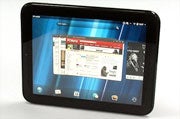
Barely two months after the HP TouchPad launched, and we’re already writing its obituary. Even RIM’s BlackBerry PlayBook tablet has survived for longer than that. I was among the reviewers who took HP to task on the TouchPad--but even so, I’m saddened by the news that the tablet world has one fewer competitor. After using the TouchPad over the past few weeks, I can say that I liked certain aspects of the TouchPad and WebOS, and that I was looking forward to seeing these features in second-generation hardware. I can only hope that other tablet makers take a hard look at their mobile operating systems and tablets, and that they find ways to prevent these five hardware and software capabilities from dying with the HP TouchPad and WebOS.

Activity-Card Stacking


I’ll admit that calling an app window an “activity card” felt a bit foreign. That said, however, I loved the ability to group related items together, regardless of which app they were in. The idea of gathering, say, a PDF with a related document, a map, and a Web page is a terrific rethinking of what “multitasking” can mean in practical use. I hope that Apple and Google figure out how to integrate a similar concept into their respective operating systems--in iOS and Android, related app content is siloed, not as manageable as in WebOS.

Synergy


C’mon, it’s a Web-connected world: It would be nice if the now-defunct WebOS weren’t the only mobile operating system to truly exist in concert with other mobile services. The ability to unify contact information--and even access images stored on Facebook directly from the tablet--were nice add-ons that made the WebOS-based TouchPad feel more connected than its Android and iOS competitors do. The Web is one big sandbox, and everyone needs to play nicely there. The better the integration, the better users can maximize their presence across the Internet. Keeping information isolated runs counter to a connected world; the level of service integration that WebOS and the TouchPad had was a differentiator, and it’s something that Apple and Google should, again, look at closely.

Multitasking


HP TouchPadOn tablets, I’ve seen just two approaches to multitasking work well--and neither one is in use by the market leaders. The first is the jog-wheel approach of some Android widgets (such as on the Lenovo IdeaPad K1, where you can move through apps that you choose to add to the wheel at the touch of a finger). And the second is the horizontal-scroll-bar approach of WebOS on the TouchPad (and, to be fair, on the QNX-based BlackBerry PlayBook, another tablet on life support right now). The horizontal-scroll design is much more finger friendly than Google’s vertical-scroll “recently accessed” pop-up. Apple’s approach is great on the iPhone, but on the iPad it’s annoying to have to move your finger all the way down to the bottom of the tablet--far from the iPad’s center of gravity--just to change apps.

Apple, Google: See how you can rework what you’re doing now into something even better. The more I use tablets, the more I find that even though the bottom of the screen is useful for menus and buttons, navigation requiring two hands (such as multitasking) is better situated in the center of the screen.

Easy Menu Access


Software can always be transformed. Android is particularly malleable, thanks to its open nature. Already I’ve seen numerous takes on Android 3.x Honeycomb, such as re-skins of annoying buttons and changes to the settings pop-up. But the base, stock Android falls a bit short--after all, tablet makers wouldn’t be customizing the OS if Google had nailed the Honeycomb interface in the first place.

So what did I like about WebOS on the TouchPad? I liked the notifications system--though I fear that with my email volume, I’d have worn my fingers out flicking through incoming notifications. I loved the settings shortcut pop-up: One touch at the top of the display, and the menu gave me access to brightness, Wi-Fi, VPN, Bluetooth, airplane mode, rotation lock, and mute--in other words, most of the settings I might need quick access to. Android has some of these settings up front, but not all of them. Samsung’s new TouchWiz UX rework of Honeycomb, as seen on the Galaxy Tab 10.1, adds these features to Android’s quick-settings menu, but you need to scroll through them. I liked the simplicity of the menu in WebOS. Heck, I liked the clean simplicity of most menus in WebOS--something that Android can learn from (yes, Google, full disclosure is useful, and information is power, but your settings menus remain a turn-off for the average consumer).

Terrific Audio


The one thing that HP’s hardware had going for it: The TouchPad has, to date, produced the best-sounding audio I’ve heard from a 10-inch tablet. The 7-inch RIM PlayBook does a surprisingly good job as well, but in my tests I often inadvertently covered the front-firing speakers with my fingers. The TouchPad’s bottom-firing speakers produced well-balanced, undistorted audio that didn’t make me cringe; in fact, I enjoyed listening to music on the TouchPad, a lot. The speakers on most every other tablet I’ve tested--including the Apple iPad 2 and Samsung Galaxy Tab 10.1—leave so much to be desired that using them is a last-ditch option, when you need speakers and have nothing else on hand to pipe your audio through. Tablet designers, take note: Whatever HP did in its TouchPad design (the tablet’s plastic backing seemed to help with the acoustics, though HP never did pinpoint what was responsible).

Category List

Powered by Blogger.

Blogroll